

How to Integrate Procurement Management Tools with Your Existing ERP System
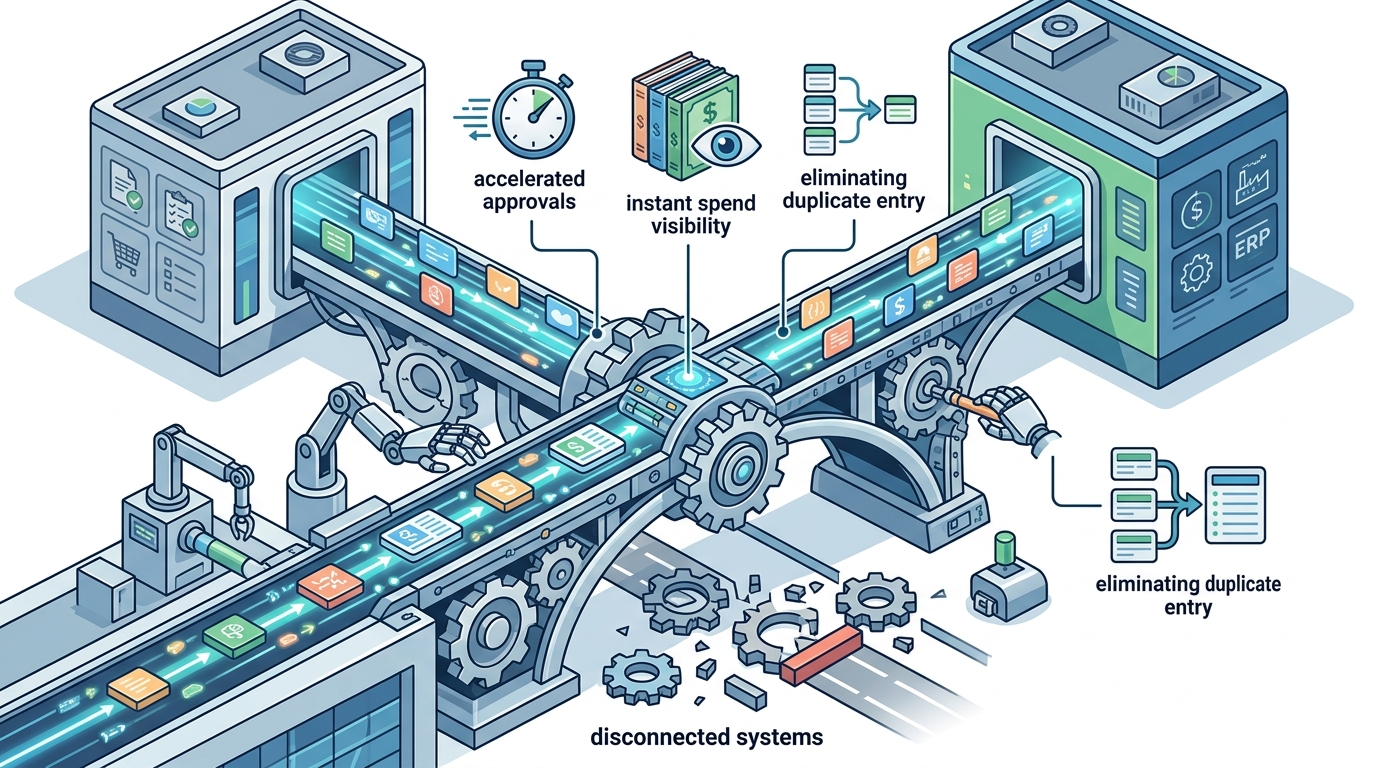
Connecting your procurement software to your Enterprise Resource Planning (ERP) system is one of the highest-impact moves a procurement team can make. When the two platforms share data in real time, you eliminate duplicate entry, gain instant spend visibility, and accelerate approvals. Yet many organizations struggle with disconnected systems that create data silos and manual workarounds. This guide walks you through the why, the how, and the pitfalls to avoid so you can achieve a seamless, efficient integration between your procurement tools and your ERP.
Why ERP-Procurement Integration Matters
Organizations that run procurement on separate, siloed platforms face slow approvals, inconsistent data, and limited spend visibility. According to Deloitte's 2024 CPO Survey, nearly 70% of procurement leaders struggle to manage vendors efficiently because of disconnected systems.
Integrating procurement tools with an ERP brings finance, inventory, and purchasing data into a single source of truth. This reduces manual errors and lets teams focus on strategic sourcing rather than data reconciliation.
Real-Time Data Synchronization
When purchase orders, invoices, and goods receipts flow automatically into your ERP's general ledger, your finance team always works with current numbers. This is essential for accurate budgeting and compliance reporting.
Reduced Maverick Spending
With a connected workflow, every purchase request routes through approved channels. Organizations that enforce digital approval chains typically see a measurable reduction in off-contract spend.
Key Concepts You Should Know
Enterprise Resource Planning (ERP) is the integrated management of core business processes, often in real time and mediated by software. eProcurement is a collective term for technologies that automate the internal and external processes associated with procurement and purchasing. API (Application Programming Interface) is a set of protocols that allows two software systems to exchange data without manual intervention.
Understanding these definitions is critical before you begin mapping data fields between your procurement platform and ERP.
Step-by-Step Integration Process
1. Audit Your Current Systems
Document every tool your procurement and finance teams use today. Identify which data fields (vendor IDs, cost centers, GL codes) must sync between systems. A thorough audit prevents surprises during implementation. Learn more about challenges when implementing eProcurement.
2. Choose Your Integration Method
You have three primary options: native connectors provided by your procurement vendor, middleware platforms like MuleSoft or Boomi, or custom API development. Each has trade-offs in cost, speed, and flexibility (see the comparison table below).
3. Map Data Fields and Workflows
Align purchase requisition fields in your procurement tool with the corresponding fields in your ERP. Common mappings include supplier master data, chart of accounts, tax codes, and currency tables. Eyvo's integration module supports configurable field mapping to match your ERP schema.
4. Test in a Sandbox Environment
Run end-to-end tests covering requisition creation, PO approval, goods receipt, and invoice matching. Validate that data arrives accurately in the ERP before going live.
5. Train Users and Go Live
Provide role-specific training for requesters, approvers, and AP staff. Eyvo offers dedicated procurement training services to accelerate user adoption.
Common Challenges and How to Overcome Them
Integration projects often stall due to data quality issues, resistance to change, or unclear ownership. Here are the most frequent roadblocks and practical solutions.
Data Inconsistency
Duplicate vendor records and mismatched GL codes are the top culprits. Cleanse your master data before integration begins. Centralized data management through eProcurement allows you to manage indirect spend catalogs and synchronize with the ERP in real time.
Supplier Onboarding Gaps
Procurement solutions that support batch supplier onboarding provide greater scalability. Make sure your platform can connect suppliers through direct integration or web portals. Eyvo's vendor portal streamlines this process.
Scope Creep
Start with the core procure-to-pay flow. Add modules like inventory management or contract management in later phases to keep the initial rollout manageable.
Integration Methods Compared
| Method | Setup Time | Cost | Flexibility | Best For |
|---|---|---|---|---|
| Native Connector | 1-4 weeks | Low (often included) | Moderate | Orgs using supported ERPs (SAP, Oracle, NetSuite) |
| Middleware (e.g., MuleSoft, Boomi) | 4-8 weeks | Medium | High | Complex, multi-system environments |
| Custom API | 6-12 weeks | High | Very High | Unique ERP configurations or legacy systems |
| File-Based (CSV/SFTP) | 1-2 weeks | Low | Low | Simple, low-volume data exchanges |
How Eyvo Simplifies ERP Integration
Eyvo's AI-powered procurement software is designed to integrate effortlessly with existing ERP systems and accounting tools, ensuring smooth data synchronization and reducing manual work. The platform also connects with messaging apps like Microsoft Teams, Slack, and WhatsApp for on-the-go approval notifications.
Eyvo integrates into companies' current computer systems while simultaneously providing live reports, transparent budgets, full audit trails, and spending control across all departments. Whether you run SAP, Oracle, Microsoft Dynamics, or a niche ERP, Eyvo's team customizes the integration to fit your specific requirements.
For organizations exploring the relationship between eProcurement and ERP, Eyvo's blog on eProcurement and ERP solutions offers additional context on why dedicated procurement tools often outperform the procurement modules bundled inside ERP suites.
Key Takeaways
- ERP-procurement integration eliminates data silos and gives finance teams real-time spend visibility.
- Choose your integration method (native connector, middleware, or custom API) based on your ERP complexity and budget.
- Cleanse master data before integration to avoid duplicate vendors and mismatched GL codes.
- Start with the core procure-to-pay workflow; add inventory and contract modules in later phases.
- Test thoroughly in a sandbox environment before going live.
- Invest in role-specific user training to drive adoption from day one.
- Eyvo offers configurable integrations with major ERPs and dedicated implementation support.
Frequently Asked Questions
What is ERP integration in procurement?
ERP integration in procurement is the process of connecting your purchasing software to your Enterprise Resource Planning system so that data like purchase orders, invoices, and vendor records flow automatically between the two platforms without manual re-entry.
Which ERP systems can Eyvo integrate with?
Eyvo integrates with major ERP platforms including SAP, Oracle, Microsoft Dynamics, NetSuite, and QuickBooks. The platform uses configurable connectors and APIs to match your specific ERP schema.
How long does a typical procurement-ERP integration take?
Timelines vary by method. Native connectors can be live in one to four weeks. Middleware setups typically take four to eight weeks. Custom API integrations may require six to twelve weeks depending on system complexity.
What data should sync between procurement software and an ERP?
At minimum, you should synchronize supplier master data, chart of accounts or GL codes, purchase orders, goods receipts, and invoices. Many organizations also sync budget data, tax codes, and currency tables.
Can I integrate procurement tools if I use a legacy ERP?
Yes. File-based methods such as CSV or SFTP transfers work well for legacy ERPs that lack modern API support. Middleware platforms can also bridge older systems to cloud-based procurement tools.
What are the biggest risks of a failed integration?
The most common risks include data duplication, invoice mismatches, broken approval workflows, and loss of audit trails. Thorough sandbox testing and data cleansing before go-live significantly reduce these risks.
Does integration replace my ERP's procurement module?
Not necessarily. Many organizations use a dedicated eProcurement platform like Eyvo alongside their ERP. The eProcurement tool handles purchasing workflows, approvals, and supplier management, while the ERP manages finance and accounting. Integration ensures both systems stay in sync.
How much does procurement-ERP integration cost?
Costs depend on the method and vendor. Native connectors are often included in the software subscription. Middleware and custom API projects can range from a few thousand to tens of thousands of dollars depending on complexity. Request a quote from Eyvo for a tailored estimate.
Ready to Connect Your Procurement and ERP Systems?
Eyvo's team specializes in seamless ERP integrations that go live in weeks, not months. Book a free demo today to see how Eyvo's AI-powered procurement platform fits into your existing technology stack.