

How to Integrate Procurement Management Tools with Your Existing ERP System
Connecting your procurement management tools to an existing ERP system is one of the most impactful steps you can take to streamline purchasing, eliminate data silos, and gain real-time visibility across your organization. Yet many teams struggle with disconnected workflows, manual data entry, and delayed approvals that erode efficiency. In this guide, we walk through the practical steps, common pitfalls, and best practices for a successful procurement-ERP integration, so your finance, IT, and procurement teams can work from a single source of truth.
Why Integrate Procurement Tools with Your ERP?
An ERP system is a software solution that helps organizations manage and integrate their core business processes on a centralized platform. While ERPs handle finance, accounting, and inventory data well, they often fall short on day-to-day procurement activities like supplier collaboration, sourcing, and spend analytics.
When procurement and ERP systems remain disconnected, teams face manual data entry errors, delayed purchase approvals, and limited visibility into spending. According to Deloitte research cited by Spendflo, nearly 70% of procurement leaders struggle to manage vendors efficiently due to disconnected systems and manual approvals. Integration solves this by synchronizing purchase orders, invoices, budgets, and supplier records automatically.
Research also shows that companies integrating procurement and financial systems can lower procurement costs by 10 to 15% through better visibility and control.
Common Challenges in Procurement-ERP Integration
Understanding the obstacles upfront helps you plan around them. Here are the most common issues organizations encounter.
Data Silos and Inconsistent Records
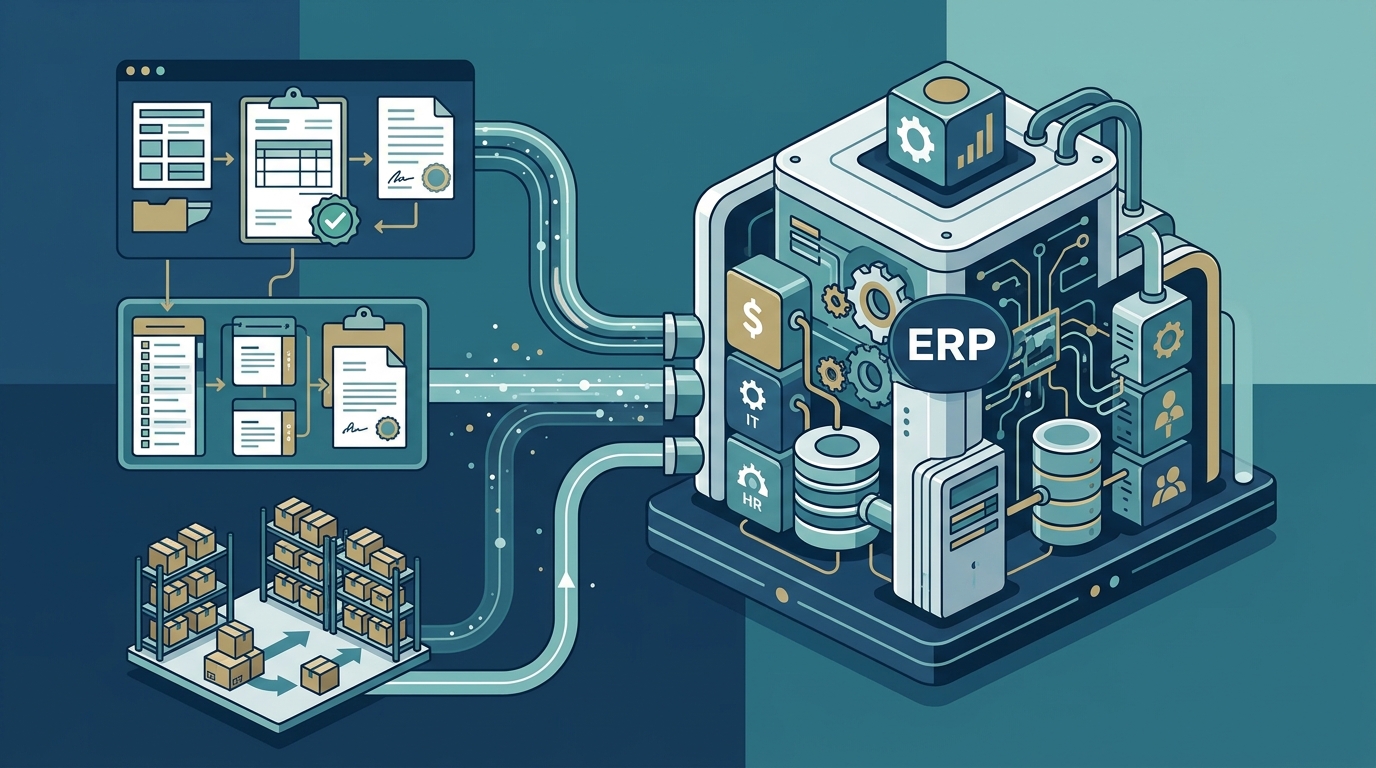
When supplier and spend data lives in multiple disconnected systems, creating a single source of truth is nearly impossible. Duplicate vendor records, conflicting pricing data, and mismatched categories slow down reconciliation and inflate costs.
Rigid ERP Architectures
Many SaaS procurement solutions have strict requirements for integration with ERP systems. Legacy ERPs may lack modern APIs or require expensive custom middleware, adding time and cost to every integration project. As Eyvo notes in its guide to eProcurement implementation challenges, it is crucial to consider solutions that provide standardized integration adapters certified for your ERP.
Stakeholder Misalignment
Procurement, finance, and IT teams often have different priorities. Without early alignment on goals and data mapping, integration projects stall or deliver results that satisfy one team while frustrating another.
Step-by-Step Integration Process
Follow these steps to connect your procurement tools with your ERP effectively.
1. Audit Your Current Systems
Start by evaluating the capabilities of your existing ERP system. Identify which procurement processes need improvement, analyze ERP limitations, and gather input from procurement teams on operational needs. Document every data touchpoint: purchase requisitions, POs, goods receipts, invoices, and payments.
2. Define Integration Goals and Data Maps
Clarify the specific problems you are solving. Map which data fields need to flow between systems, such as vendor IDs, GL codes, cost centers, and approval statuses. A clear data map prevents mismatches and reduces rework during testing.
3. Choose an Integration Method
Select the right technical approach based on your ERP environment and budget. We compare the main options in the table below.
4. Run a Pilot and Test Thoroughly
Pilot the integration in a controlled environment before full deployment. Validate data accuracy, test approval workflows end to end, and confirm that financial records reconcile between systems.
5. Train Teams and Go Live
Provide training for procurement, finance, and IT users. Monitor the integration closely during the first 30 to 60 days, and iterate on any workflow friction points.
Integration Methods Compared
| Method | Best For | Complexity | Time to Deploy |
|---|---|---|---|
| Native/Pre-built Connectors | Common ERPs (SAP, Oracle, NetSuite, Dynamics) | Low | 2 to 6 weeks |
| API-Based Integration | Modern cloud ERPs with open APIs | Medium | 4 to 12 weeks |
| Middleware/iPaaS | Multi-ERP environments or complex data flows | Medium-High | 6 to 16 weeks |
| Flat File/CSV Exchange | Legacy systems with no API support | Low | 1 to 4 weeks |
| Custom Development | Highly unique business logic | High | 3 to 6+ months |
Platforms with native integrations for systems like NetSuite, SAP, Oracle, Microsoft Dynamics, and QuickBooks can significantly reduce deployment complexity and help businesses avoid lengthy custom projects.
Best Practices for a Smooth Integration
Keep these principles in mind throughout your integration journey:
- Involve stakeholders early: Get finance, IT, and procurement on the same page before selecting tools or writing specs.
- Standardize data before migrating: Clean up vendor records, chart of accounts, and category taxonomies to avoid importing problems into the new environment.
- Choose certified adapters: Integration adapters that are certified for your ERP version ensure compatibility through future upgrades.
- Prioritize real-time sync: Real-time data synchronization between procurement and ERP reduces reconciliation effort and gives leaders accurate spend visibility.
- Plan for change management: Strong change management and phased deployment are critical to accelerating adoption and minimizing disruption.
For more on how procurement automation complements integration, explore Eyvo's automation insights.
How Eyvo Simplifies ERP Integration
Eyvo is an AI-powered eProcurement platform designed to integrate effortlessly with existing ERP systems and accounting tools, ensuring smooth data synchronization and reduced manual work. The platform also connects with messaging apps like Microsoft Teams, Slack, and WhatsApp for on-the-go approval notifications.
With over 20 years of experience, Eyvo has built a dedicated integration module that supports connections to major ERPs including SAP, Oracle, NetSuite, and Microsoft Dynamics. The module handles PO exports, invoice imports, budget synchronization, and vendor master data exchange.
Eyvo's approach stands out because of its high degree of customizability. The team tailors the procurement software to fit each client's unique business needs, including custom data mappings, approval hierarchies, and reporting structures. Whether you are a startup or a large enterprise, the software scales and adapts.
Explore the full list of Eyvo modules to see how purchase orders, inventory, supplier management, and invoice matching all feed into your ERP through a single integration layer.
Key Takeaways
- Procurement-ERP integration eliminates data silos, reduces manual entry, and provides real-time spend visibility.
- Companies that integrate procurement and financial systems can lower procurement costs by 10 to 15%.
- Start every integration project by auditing current systems and defining clear data maps.
- Choose integration methods (native connectors, APIs, middleware) based on your ERP architecture and complexity.
- Involve finance, IT, and procurement stakeholders from day one to avoid misalignment.
- Eyvo's dedicated integration module connects with major ERPs and is fully customizable to your workflows.
- Pilot test integrations before full deployment to catch data accuracy issues early.
Frequently Asked Questions
What is procurement-ERP integration?
Procurement-ERP integration is the process of connecting a procurement management platform with an enterprise resource planning system so that data such as purchase orders, invoices, vendor records, and budgets flows automatically between both systems.
Which ERP systems can procurement tools integrate with?
Most modern procurement platforms offer pre-built connectors for popular ERPs including SAP, Oracle, NetSuite, Microsoft Dynamics, Workday, and QuickBooks. Eyvo's integration module supports these and more through configurable adapters.
How long does a procurement-ERP integration take?
Timelines vary by method. Native connectors can go live in 2 to 6 weeks, while API-based integrations typically take 4 to 12 weeks. Custom development for complex environments may extend to 3 to 6 months or longer.
What are the biggest risks of a failed integration?
Common risks include data duplication, broken approval workflows, inaccurate financial reporting, and low user adoption. These can be mitigated through thorough testing, clean data migration, and phased rollouts.
Do I need to replace my ERP to integrate procurement software?
No. A well-designed procurement platform like Eyvo layers on top of your existing ERP without requiring replacement. The goal is to extend your ERP's capabilities, not replace its core infrastructure.
What data typically flows between procurement and ERP?
Key data points include purchase requisitions, purchase orders, goods receipts, invoices, payment statuses, vendor master records, GL codes, cost centers, and budget allocations.
How does integration reduce maverick spending?
By routing all purchases through an integrated procurement system with enforced approval workflows, organizations prevent off-contract buying. The ERP validates purchases against agreed contract terms, budget limits, and preferred supplier lists in real time.
Can small businesses benefit from procurement-ERP integration?
Absolutely. Cloud-based procurement tools with pre-built ERP connectors make integration accessible even for small and mid-sized businesses. Eyvo's flexible pricing and scalable architecture are designed for organizations of all sizes.
Ready to Connect Your Procurement and ERP Systems?
Stop wrestling with disconnected data and manual workarounds. Request a free demo from Eyvo to see how its integration module connects seamlessly with your ERP, giving your team real-time visibility and control from day one.