

Integrating procurement management tools with your existing ERP system is one of the most impactful upgrades a business can make. When procurement and ERP platforms work together, organizations gain real-time visibility into spending, eliminate duplicate data entry, and strengthen compliance across the entire purchase-to-pay cycle. Research shows that companies integrating procurement and financial systems lower procurement costs by 10 to 15 percent thanks to better visibility and control. This guide walks you through everything you need to know, from assessing your current setup to going live with a fully connected procurement ecosystem.
What Is ERP-Procurement Integration?
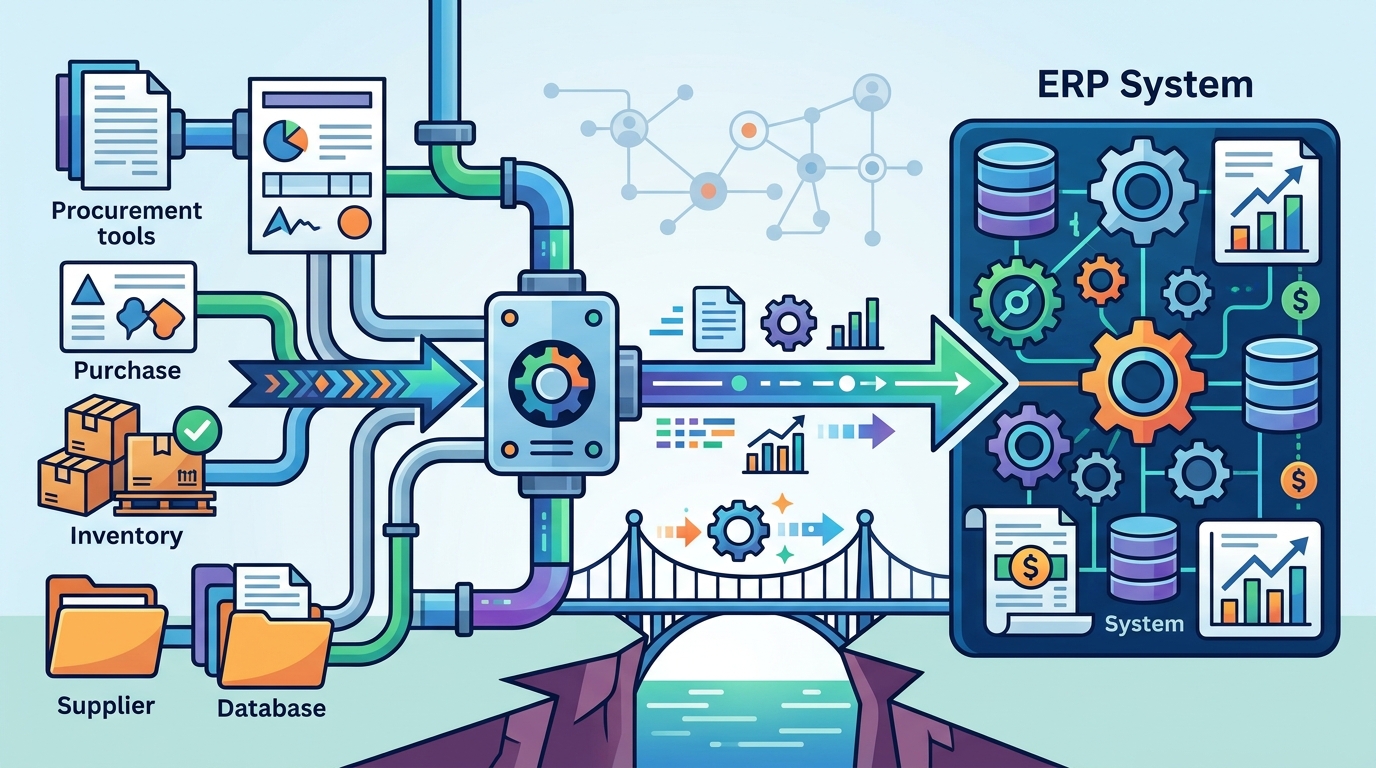
ERP-procurement integration is the process of connecting a dedicated procurement management tool with an Enterprise Resource Planning system so that data flows automatically between the two. An ERP system is a software solution that helps organizations manage and integrate their core business processes on a centralized platform. Rather than re-keying purchase orders, invoices, and supplier records across disconnected tools, integration creates a single source of truth for financial and procurement data.
Most ERP platforms include basic purchasing modules, but they often fall short on strategic functions such as sourcing, supplier collaboration, and spend analytics. That is exactly where specialized procurement software fills the gap, layering advanced capabilities on top of your ERP backbone.
Why Integration Matters for Modern Procurement
Disconnected systems force procurement teams to transfer information manually between platforms. This leads to data entry errors, delayed approvals, and limited visibility into spend. According to Amazon Business, organizations that modernize their procurement ecosystems report shorter purchasing cycle times and stronger compliance tracking.
Eliminate Data Silos
When procurement data lives in spreadsheets while financial records sit in the ERP, no one has the full picture. Integration synchronizes purchase requisitions, supplier records, and budget data in real time, giving finance and procurement teams a unified view.
Reduce Manual Work and Errors
Automating the handoff between procurement workflows and ERP modules removes duplicate data entry. Eyvo's platform, for example, integrates with major accounting and ERP systems such as SAP, Oracle, and QuickBooks, reducing the labor-intensive work of maintaining supplier and catalog information.
Improve Compliance and Budget Control
An integrated system enforces approval hierarchies, flags off-contract spending, and matches invoices to purchase orders automatically. This level of control is critical for organizations managing procurement across multiple sites or regions.
Common Integration Methods
There is no single way to connect procurement tools with an ERP. The right approach depends on your existing infrastructure, budget, and technical resources. Below is a comparison of the four most common methods.
| Method | How It Works | Best For | Complexity |
|---|---|---|---|
| API Integration | Uses application programming interfaces to exchange data between systems in real time | Cloud-native platforms with open APIs | Medium |
| Middleware / ESB | An enterprise service bus sits between systems and routes data according to predefined rules | Large enterprises with multiple legacy systems | High |
| File-Based Sync | Scheduled CSV or XML file transfers between procurement and ERP databases | Organizations with limited API support | Low |
| Native Connectors | Pre-built adapters certified for specific ERP platforms like SAP or Oracle | Teams that want rapid deployment | Low-Medium |
Eyvo's eProcurement platform supports all four methods. Its software can link to any third-party system including accounts, ERP, and existing legacy solutions through its open API, ODBC SQL access, or file synchronization.
Step-by-Step Integration Process
1. Audit Your Current ERP and Procurement Workflows
Start by evaluating the capabilities of your existing ERP system and identify gaps in procurement functionality. Map out every touchpoint where procurement data enters or leaves the ERP, from requisition to payment. Gather input from procurement, finance, and IT teams to understand operational needs and pain points.
2. Define Integration Goals and Data Mapping
Decide which data elements need to flow between systems: purchase orders, goods receipts, invoices, supplier master data, and budget codes. Clear data mapping prevents mismatches and ensures each field in the procurement tool aligns with the corresponding ERP field.
3. Select the Right Procurement Platform
Choose a procurement solution that offers certified integration adapters for your ERP. Cloud-based solutions with standardized connectors dramatically reduce implementation time. Eyvo, for instance, can integrate its buying platform in front of your existing ERP solution to deliver best-of-breed procurement without replacing your core system.
4. Test, Pilot, and Go Live
Run the integration in a sandbox environment first. Validate data accuracy across purchase orders, invoices, and supplier records. Pilot with a small user group before rolling out company-wide. The typical implementation timeline for cloud procurement software ranges from three to six months for initial go-live.
Challenges and How to Overcome Them
Integration is rarely without friction. Many SaaS procurement solutions have strict requirements for ERP connectivity. Here are the most common hurdles and how to address them.
Data inconsistency: Mismatched supplier codes or chart-of-account structures between systems can break synchronization. Solve this by standardizing master data before integration begins.
Legacy system limitations: Older ERP platforms may lack modern API endpoints. In these cases, file-based synchronization or middleware provides a reliable bridge. Eyvo offers standardized integration that accounts for efficient connectivity even with legacy systems.
User adoption: Procurement software only works when people actually use it. Invest in training and choose a platform with an intuitive interface to drive adoption across departments.
Scope creep: Define your integration scope early and resist adding unnecessary complexity during the initial rollout. You can always expand integrations in subsequent phases.
What to Look for in a Procurement Platform
Not every procurement tool integrates equally well with every ERP. When evaluating platforms, prioritize these capabilities:
- Pre-built connectors for your specific ERP (SAP, Oracle, QuickBooks, Sage, Xero)
- Open API access for custom integrations
- Real-time data synchronization rather than batch-only transfers
- Support for SSO, SAML, and two-factor authentication for secure access
- Customizable workflows that match your approval hierarchies
- A dedicated supplier management module with portal access for vendors
Eyvo's eBuyerAssist platform checks all of these boxes. It integrates with applications that have an open API or file sync capability, including QuickBooks, Sage, Xero, ChromeRiver, and SAP. With over 20 years of experience and clients such as Trump Hotels and Urban Outfitters, Eyvo has a proven track record of successful ERP integrations across industries.
Key Takeaways
- ERP-procurement integration eliminates data silos and manual re-keying of purchase data.
- Companies that integrate procurement with financial systems can reduce procurement costs by 10 to 15 percent.
- Four primary integration methods exist: API, middleware, file-based sync, and native connectors.
- Always audit your current ERP capabilities and map data fields before starting integration.
- Cloud-based procurement platforms with certified ERP adapters offer the fastest time to value.
- User adoption is just as important as technical setup; choose software with an intuitive interface.
- Eyvo's platform integrates with SAP, Oracle, QuickBooks, and other major systems through its open API.
Frequently Asked Questions
What is ERP-procurement integration?
ERP-procurement integration is the process of connecting a procurement management tool with your Enterprise Resource Planning system so that purchasing data, supplier records, and financial information flow automatically between the two platforms.
Which ERP systems can Eyvo integrate with?
Eyvo can seamlessly integrate with applications that have an open API or file sync feature. Examples include SAP, Oracle, QuickBooks, Sage, Xero, and ChromeRiver. Visit the eBuyerAssist platform page for full details.
How long does a procurement-ERP integration typically take?
For cloud-based procurement solutions, initial go-live typically takes three to six months. Full rollout across all departments may extend to six to twelve months depending on the complexity of your ERP landscape.
Do I need to replace my ERP to use procurement software?
No. Modern procurement platforms are designed to sit on top of your existing ERP, not replace it. Eyvo integrates its buying platform in front of your ERP solution to give you best-of-breed procurement tools without disrupting your core infrastructure.
What data should flow between procurement software and my ERP?
At a minimum, you should synchronize purchase requisitions, purchase orders, goods receipts, invoices, supplier master data, and budget or cost-center codes. This ensures end-to-end visibility from requisition to payment.
What are the biggest risks of not integrating procurement with ERP?
Without integration, teams face manual data entry errors, delayed purchase approvals, limited spend visibility, and poor coordination between procurement and finance. These issues increase operational costs and compliance risk.
Can small businesses benefit from procurement-ERP integration?
Absolutely. Whether you are a small startup or a large enterprise, procurement software like Eyvo is designed to scale and adapt. Even small teams benefit from automated approvals, real-time spend tracking, and reduced manual work.
How does Eyvo handle data security during integration?
Eyvo stores all data in professionally managed data centers with HTTP SSL encryption, two-factor authentication, and annual security audits to internationally recognized standards. Access is restricted to authorized users only.
Ready to Connect Your Procurement and ERP Systems?
Stop wasting time on manual data transfers and disconnected workflows. Request a demo of Eyvo's eProcurement platform and see how quickly you can integrate with your existing ERP to gain real-time visibility, reduce costs, and streamline purchasing across your organization.