

How to Integrate Procurement Management Tools with Your Existing ERP System
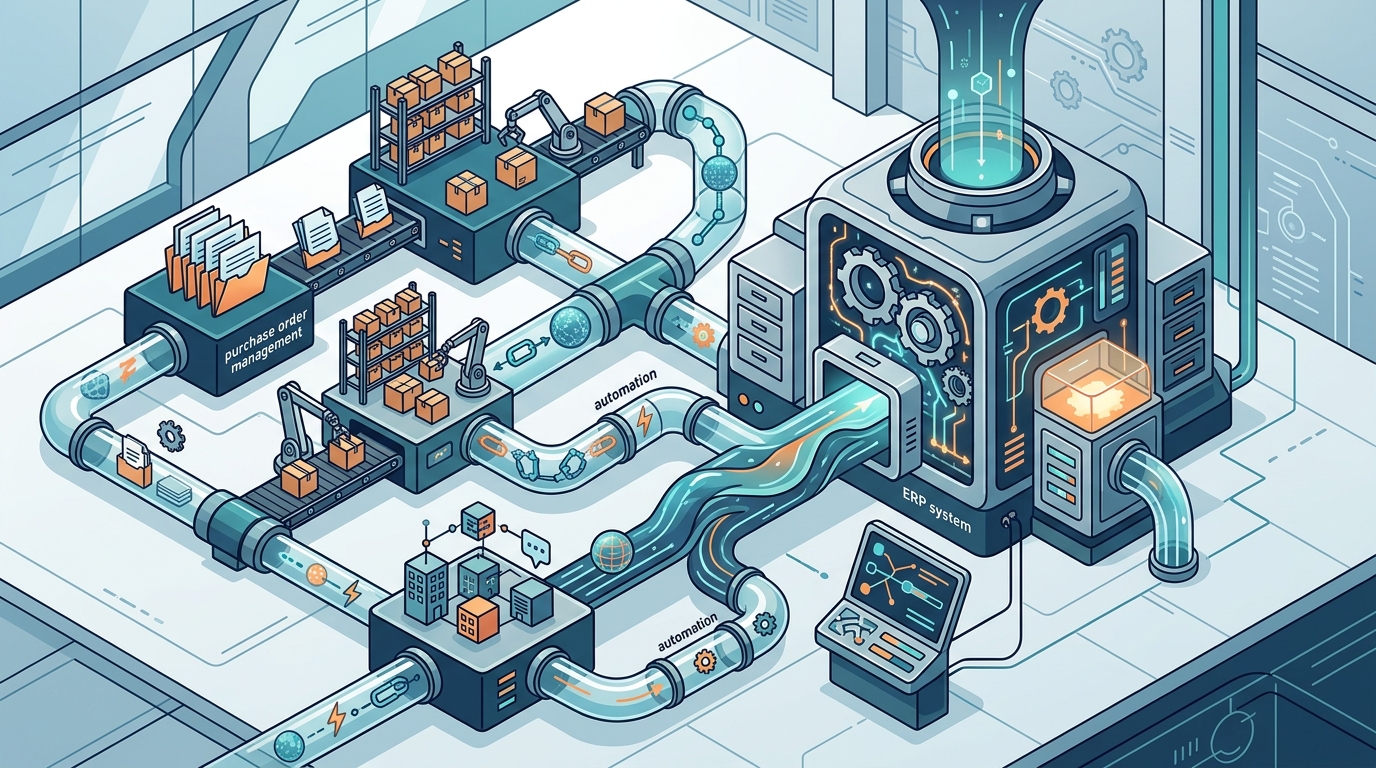
Integrating procurement management tools with an existing ERP system is one of the highest-impact moves a business can make in 2026. ERP integration is the process of connecting an enterprise resource planning system with other business applications, such as procurement software, CRM, or supply chain management tools. When done right, it eliminates duplicate data entry, automates approval workflows, and gives finance and procurement teams a single source of truth. Yet many organizations struggle with the process. This guide walks you through the key steps, common pitfalls, and best practices so you can connect your procurement platform to your ERP without costly surprises.
Why Procurement-ERP Integration Matters
Most organizations already rely on an ERP system to manage finance, accounting, and operational data. However, basic ERP modules often lack the depth needed for strategic procurement activities like supplier collaboration, sourcing, and spend analytics. Integrating a dedicated procurement tool bridges that gap.
The benefits are tangible. Automating procurement tasks within the ERP significantly reduces manual work and streamlines approvals. Real-time data synchronization gives teams instant access to order status, supplier performance, and spending patterns. According to Research.com, user needs are evolving toward platforms offering real-time tracking, supplier management, spend analytics, and seamless ERP integration.
Integration also improves cross-department collaboration. When procurement, finance, and operations share a single data layer, approval bottlenecks shrink and compliance improves. Organizations that invest in procurement digitization achieve their cost savings targets 96% of the time versus 80% for laggards, according to Ivalua's 2026 analysis.
Common Challenges You Will Face
Integration is not plug-and-play. Many SaaS procurement solutions have strict requirements for connecting with ERP platforms. If you pick a tool without standardized integration adapters, you may end up spending more on custom middleware than on the software itself.
Data Silos and Inconsistency
Disconnected systems force teams to transfer information manually, creating communication gaps between procurement and finance. Manual data entry between procurement systems and ERP platforms leads to a higher chance of errors, delayed approvals, and limited visibility into spending.
Supplier Onboarding Complexity
Connecting suppliers to your new procurement hub requires planning. Supplier connections are generally made through direct integration or through web portals that connect via a centralized hub. Failing to batch-deploy supplier enablement slows adoption across the organization. Eyvo addresses this through its Supplier Marketplace, which streamlines sourcing and self-service supplier management.
Legacy System Constraints
Older ERP installations may lack modern API endpoints. In these cases, you need middleware, flat-file exports, or ODBC connections to bridge the gap. Planning for these constraints early prevents delays during deployment.
Integration Methods Compared
There is no single right way to connect procurement software to an ERP. The best method depends on your ERP vendor, IT resources, and data volume. Below is a comparison of the most common approaches.
| Method | Best For | Speed | Cost | Complexity |
|---|---|---|---|---|
| Native/Pre-built Connectors | SAP, Oracle, QuickBooks users | Fast (days to weeks) | Low | Low |
| Open API (REST/SOAP) | Custom or modern ERP stacks | Moderate (weeks) | Medium | Medium |
| Middleware/iPaaS | Multi-system environments | Moderate | Medium-High | Medium |
| Flat File/CSV Exchange | Legacy ERP without APIs | Slow (batch) | Low | Low |
| ODBC/SQL via VPN | On-premise databases | Near real-time | Medium | High |
Eyvo's eBuyerAssist platform, for example, integrates with major accounting and ERP systems such as SAP, Oracle, and QuickBooks and also offers ODBC SQL access via VPN and an open API for custom connections.
Step-by-Step Integration Process
A structured approach keeps your integration on schedule and on budget. The typical implementation timeline ranges from 3 to 6 months for initial go-live, with full rollout extending to 6 to 12 months depending on complexity.
1. Audit Your Current Systems
Document every system that touches procurement data: your ERP, accounting software, inventory tools, and any spreadsheets. Identify which data fields need to flow between systems, such as purchase orders, supplier records, invoices, and budget codes.
2. Define Integration Scope and Priorities
Start with the highest-value data flows. Purchase order synchronization and invoice matching typically deliver the fastest ROI. Eyvo's procurement software modules let you adopt capabilities incrementally, from requisitions and approvals to inventory and contract management.
3. Select the Integration Method
Use the comparison table above to match your ERP landscape to the right connector type. If your ERP is SAP or Oracle, look for certified pre-built adapters. For less common platforms, an open API or middleware layer will be the most flexible option.
4. Map Data Fields and Test
Create a detailed field-mapping document that aligns procurement system fields to ERP fields. Run parallel testing in a sandbox environment before going live. Validate that purchase orders, goods receipts, and invoices reconcile correctly across both systems.
5. Train Users and Go Live
Strong change management and phased deployment are critical to accelerating adoption and minimizing disruption. Roll out to a pilot group first, gather feedback, and iterate before a company-wide launch.
Data Mapping and Synchronization
Data mapping is the process of aligning fields and formats between your procurement tool and your ERP so that information flows accurately in both directions. Getting this wrong causes mismatched purchase orders, duplicated suppliers, and broken invoice reconciliation.
Key data entities to map include supplier master records, item catalogs, cost centers, GL codes, purchase orders, goods receipts, and invoices. Eyvo's platform supports smooth data synchronization with existing ERP systems and accounting tools, reducing manual reformatting.
For organizations managing indirect spend catalogs, materials management, and plant maintenance, eProcurement allows centralization of data and integration of all these systems with the ERP to provide real-time synchronization. Automating this data flow is especially valuable for manufacturers. Eyvo can integrate its buying platform in front of your existing ERP solution to deliver best-of-breed procurement without replacing your core system.
Choosing the Right Procurement Platform
Not every procurement tool integrates equally well. When evaluating platforms, prioritize these criteria:
- Pre-built ERP connectors for your specific system (SAP, Oracle, NetSuite, QuickBooks).
- Open API access for custom integrations and future-proofing.
- Cloud-native architecture to avoid on-premise installation overhead.
- Customization depth so the tool adapts to your workflows, not the reverse.
- Security standards including SSO, SAML, 2FA, and encrypted data storage.
Eyvo's AI-powered procurement software checks each of these boxes. With over 20 years of experience, Eyvo offers ERP integrations, field and workflow customization, and enterprise-grade security. The platform also integrates with messaging apps like Microsoft Teams, Slack, and WhatsApp for on-the-go approval notifications.
Understanding procurement automation and its importance can further help your team build a business case for integration investment.
Key Takeaways
- ERP integration eliminates data silos, reduces manual entry, and gives procurement and finance teams shared visibility.
- Choose a procurement platform with pre-built connectors for your ERP vendor and an open API for flexibility.
- Start with the highest-value data flows like PO sync and invoice matching to achieve fast ROI.
- Plan for a 3-to-6-month initial go-live timeline, with phased rollout for full adoption.
- Map data fields meticulously and test in a sandbox before going live.
- Cloud-based procurement tools like Eyvo integrate without disrupting your existing IT infrastructure.
- Strong change management and user training are just as important as the technology itself.
Frequently Asked Questions
What is procurement-ERP integration?
Procurement-ERP integration is the process of connecting a dedicated procurement software platform with your enterprise resource planning system so that data like purchase orders, invoices, supplier records, and budget information flows automatically between both systems.
Which ERP systems can Eyvo integrate with?
Eyvo's eBuyerAssist platform integrates with major accounting and ERP systems such as SAP, Oracle, and QuickBooks. It also offers ODBC SQL access via VPN and an open API for connecting with other platforms.
How long does a procurement-ERP integration take?
A typical implementation timeline ranges from 3 to 6 months for initial go-live, with full rollout phases extending to 6 to 12 months or more depending on the complexity of your ERP landscape and number of users.
What data should be synchronized between procurement and ERP?
At a minimum, you should synchronize supplier master records, purchase orders, goods receipts, invoices, cost center and GL code mappings, and budget data. Catalog items and contract terms are also valuable to include.
Can I integrate procurement tools with a legacy ERP that lacks APIs?
Yes. Options include flat-file or CSV exchanges, ODBC database connections via VPN, and middleware platforms. Eyvo's software can link to any third-party system including accounts, ERP, and existing legacy solutions.
What are the biggest risks of a failed integration?
The primary risks are data inconsistency between systems, broken approval workflows, duplicate supplier records, and invoice reconciliation errors. Thorough data mapping and sandbox testing before go-live mitigate these risks.
Does integration replace my ERP system?
No. Integration adds specialized procurement capabilities on top of your existing ERP. The goal is to complement your ERP with best-of-breed procurement tools, not to replace core financial infrastructure.
How much does procurement-ERP integration cost?
Costs vary widely depending on the integration method. Pre-built connectors are the most affordable, while custom API or middleware implementations carry higher upfront costs. Total cost of ownership should factor in integration, configuration, and change management, which often exceed the initial subscription fee.
Ready to Connect Your Procurement and ERP Systems?
Eyvo's team specializes in seamless ERP integrations tailored to your business. Whether you run SAP, Oracle, QuickBooks, or a legacy platform, we can help you go live in weeks, not months. Request a free demo today and see how Eyvo streamlines procurement across your organization.