

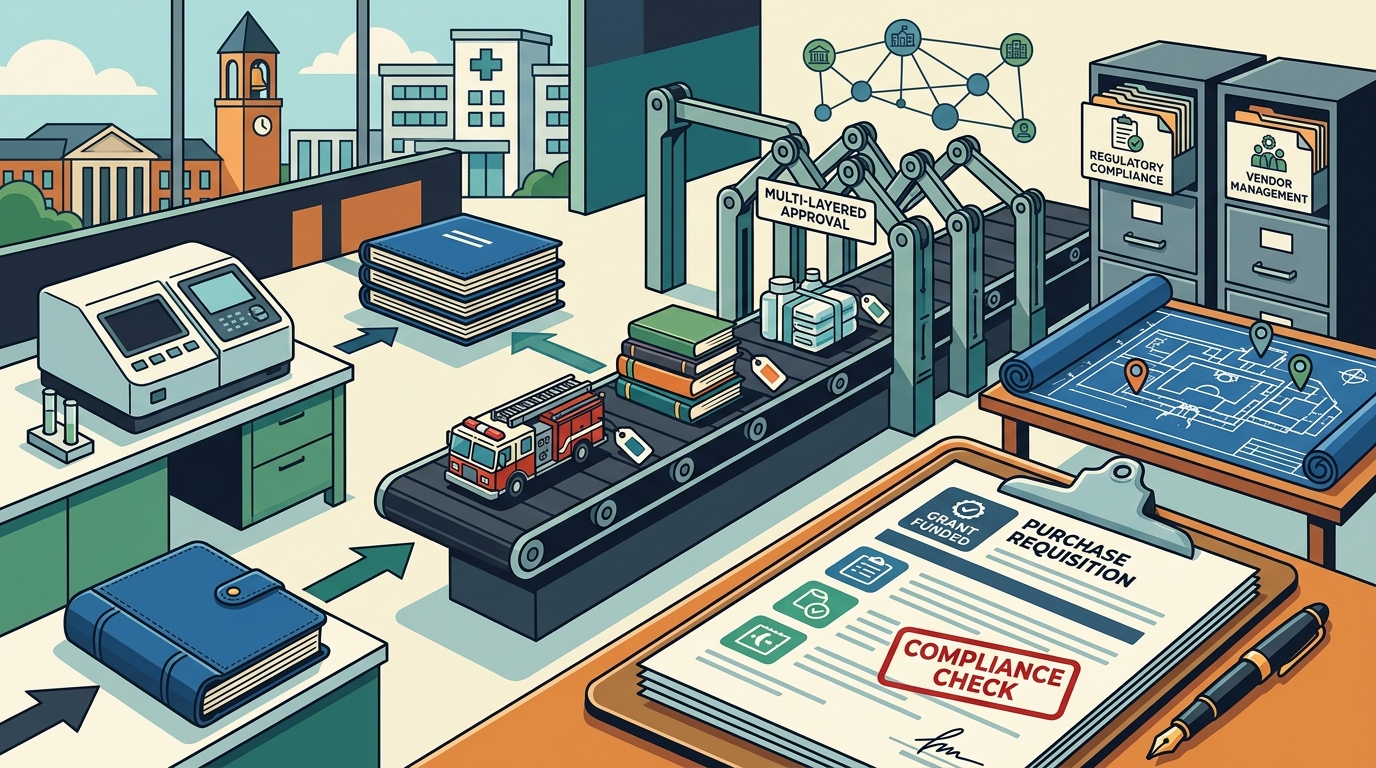
Institutional buyers — universities, hospitals, government agencies, and large nonprofits — face procurement challenges that off-the-shelf tools rarely address out of the box. Multi-layered approvals, regulatory compliance, grant-funded budgets, and decentralised departments all demand software that goes beyond simple purchase-order creation. This ultimate guide walks you through every feature category worth evaluating before you sign a contract.
Why the Right Feature Set Matters for Institutions
Procurement software has become a critical part of business operations, enabling organisations to streamline purchasing, manage suppliers, control costs, and maintain compliance. For institutions specifically, the stakes are higher: public accountability, grant restrictions, and multi-entity structures mean the wrong tool can create more problems than it solves.
The global enterprise procurement software market was valued at approximately USD 10.6 billion in 2023 and is expected to grow to USD 25.3 billion by 2033. That explosive growth reflects how rapidly organisations are moving away from manual spreadsheets and email-based approvals. Without the right combination of features and integrations with your existing tech stack, you risk being saddled with manual tasks and data silos that undermine your investment.
1. Configurable Approval Workflow Automation
Institutions typically have complex, multi-tiered approval hierarchies — department heads, budget officers, compliance reviewers, and executive sign-off may all be required before a single purchase can proceed. Your software must support this complexity natively.
What to Look For
- Threshold-based routing: Automated approval workflows based on spending thresholds that route requests to the correct approver without manual intervention.
- Parallel and sequential approvals: The ability to run certain approval steps concurrently while enforcing sequential gates where policy demands it.
- Delegation and escalation rules: Automatic escalation when approvers are unavailable, preventing requests from stalling in a queue.
- Policy enforcement at the workflow level: Pre-defined workflows based on request type, amount, department, or funding source that embed your institution's rules directly into the process.
Automated approval workflows reduce manual delays, route requests to the right approvers, and ensure every purchase follows internal policies. They shorten cycle times, improve accountability, and prevent overspending. For institutions managing grant-funded budgets, this is non-negotiable.
2. Real-Time Spend Analytics and Dashboards
Visibility into spending patterns is what transforms procurement from an administrative function into a strategic one. Static reports printed once a quarter are no longer sufficient.
What to Look For
- Customisable real-time dashboards: Visualisations of key metrics — total spend by category, department, campus, or funding source — with drill-down capability to line-item detail.
- Deep spend categorisation: The ability to filter spend by vendor, product type, user, cost centre, and custom fields such as grant codes or project numbers.
- Trend identification: Automated detection of spending anomalies, tail spend, and duplicate orders that flag overspending before it drains your budget.
- Exportable reporting: Easy generation of reports for board presentations, audit committees, and grant compliance filings.
Live spend analytics give finance teams the visibility they need to make informed decisions. By tracking spending by vendor, department, or employee, institutions can identify savings opportunities and improve forecasting accuracy across fiscal years.
3. Supplier Management and Risk Assessment
Institutional procurement often involves managing hundreds or even thousands of suppliers — from lab equipment vendors to catering services. A centralised supplier management module is essential.
What to Look For
- Centralised supplier database: A single source of truth for vendor contact details, certifications, diversity classifications, insurance documents, and contract terms.
- Supplier scorecards: Performance tracking across delivery timeliness, quality, responsiveness, and pricing competitiveness.
- Risk assessment tools: Automated risk scoring that monitors financial health, compliance status, and geographic or geopolitical exposure.
- Self-service supplier portal: A portal where vendors can register, update profiles, submit bids, and track payment status — reducing administrative burden on your team.
Effective supplier management helps institutions maintain strong vendor relationships by providing a centralised platform to track supplier performance, contract terms, and communication history. For regulated industries like healthcare and higher education, supplier risk management features support strict compliance requirements.
4. Purchase Order and Requisition Management
The purchase requisition-to-PO lifecycle is the backbone of institutional procurement. Top performers can generate a purchase order in about five hours, while bottom performers take up to 48 — and that time gap represents pure friction you either automate away or keep paying for.
What to Look For
- Digital requisition forms: Smart intake forms that capture purchase and vendor data right at the request stage, guiding employees step by step.
- Automatic PO generation: Once a requisition clears all approvals, the system should generate a compliant purchase order and distribute it to the supplier automatically.
- Three-way matching: Automated comparison of invoices, purchase orders, and goods receipts to ensure you pay only for what was ordered and delivered.
- Real-time status tracking: Both requesters and approvers should see exactly where every order stands at any moment.
A robust purchase order management system streamlines the procurement process by allowing users to create, approve, and track POs in real time. It ensures purchases follow institutional policies, reduces manual paperwork, and improves order accuracy.
5. Contract Lifecycle Management
Institutions manage everything from multi-year service agreements to one-off equipment leases. Contract management that lives outside the procurement system creates dangerous blind spots.
What to Look For
- Centralised contract repository: Searchable storage for every active, expired, and pending contract with version control.
- Milestone and renewal alerts: Automated notifications for key dates — expirations, renewal windows, performance review deadlines, and compliance certification due dates.
- Clause library and templates: Standardised language that reduces legal review cycles and ensures consistency.
- Spend-to-contract linkage: The ability to track actual spend against contracted amounts, flagging overruns or underutilisation automatically.
Contract lifecycle management software can automate the creation, approval, and storage of contracts and send alerts regarding key milestones and renewal dates, significantly reducing legal risks and improving compliance.
6. Compliance Controls and Audit Trails
Institutions face regulatory scrutiny that commercial enterprises often do not — federal procurement rules, state purchasing thresholds, grant compliance requirements, and internal governance policies all apply.
What to Look For
- Immutable audit trails: Every action — creation, edit, approval, rejection — should be timestamped and attributed to a specific user.
- Policy-based controls: Mandatory fields, vendor restrictions, documentation requirements, and spending caps enforced automatically.
- Segregation of duties: Rules that prevent the same person from requesting and approving a purchase, a common audit finding in institutions.
- Regulatory reporting templates: Pre-built or configurable reports aligned with common regulatory frameworks (e.g., Uniform Guidance for US federal grants).
Ensuring compliance with internal policies and industry regulations reduces legal and financial risks. Software that guides users through compliant purchasing helps reduce manual oversight while ensuring accountability across the organisation.
7. ERP and Financial System Integration
No procurement tool operates in isolation. Institutions typically run ERP systems (Banner, PeopleSoft, Workday, SAP) alongside budgeting, HR, and asset management platforms.
What to Look For
- Pre-built connectors: Native integrations with major ERP and accounting systems for seamless data flow.
- API availability: Open APIs for custom integrations with niche institutional systems (e.g., research administration platforms, facilities management tools).
- Real-time data sync: Bidirectional syncing of chart-of-accounts codes, vendor master data, budget balances, and payment status.
- Single sign-on (SSO) support: Integration with institutional identity providers like Shibboleth, Azure AD, or Okta.
Your procurement software should integrate seamlessly with existing ERP systems, accounting software, and other business applications. Without this, you create data silos that require manual re-keying — the exact inefficiency you purchased the software to eliminate.
8. AI and Intelligent Automation
AI capabilities in procurement software have matured rapidly. In 2025, leading tools emphasise AI-driven sourcing, cloud scalability, and real-time analytics to help teams make smarter, data-backed decisions.
What to Look For
- AI-powered OCR: Intelligent capture that reads invoices, extracts key fields, and generates in-system records with pre-filled information — reducing manual data entry to near zero.
- Predictive spend forecasting: Machine-learning models that analyse historical patterns to project future spending by category, department, or vendor.
- Supplier risk scoring: AI that continuously scans external data sources to flag emerging risks — financial instability, regulatory actions, or negative press — before they impact your supply chain.
- Natural language search and assistance: AI assistants that let users query procurement data conversationally (e.g., “Show me all IT purchases over $10,000 in Q3”).
McKinsey estimates that digitising the source-to-pay cycle can cut operational procurement costs by 30–50 percent and automate up to 60 percent of manual tasks across S2P workflows. AI is the engine that makes those savings achievable at institutional scale.
9. Catalog Management and Guided Buying
Institutions benefit enormously from guiding end users toward pre-approved suppliers and negotiated pricing. Without this, maverick spending proliferates.
What to Look For
- Internal catalogs: Curated lists of approved items at contracted prices, searchable within the procurement interface.
- PunchOut integration: Connections to external supplier marketplaces (Amazon Business, Staples, scientific supply vendors) where users shop in a familiar environment while orders route through institutional approval workflows.
- Business-only pricing: Automatic application of pre-negotiated discounts and volume pricing when employees add items to a requisition.
- Category restrictions: The ability to limit certain user groups to specific product categories or suppliers based on their role or department.
E-procurement software with vendor catalog integrations allows institutions to access business-only pricing and volume discounts while ensuring every order flows through appropriate procurement policies and approval workflows.
10. Mobile Access and User Experience
Adoption is the ultimate measure of procurement software success. A tool nobody uses delivers zero value regardless of its feature set.
What to Look For
- Intuitive interface: Clean design that requires minimal training for occasional users like faculty members or department administrators who submit requests infrequently.
- Mobile approvals: Responsive design or native apps that let approvers review and act on requests from any device, anywhere.
- Contextual guidance: In-app help, tooltips, and smart defaults that steer users toward compliant behaviour without requiring them to memorise policy manuals.
- Fast onboarding: Implementation timelines measured in weeks, not months, with quick user onboarding to encourage adoption.
Procurement software only works when people actually use it. A clean, intuitive user experience is key to adoption across institutional stakeholders who range from tech-savvy analysts to occasional end-users in academic departments.
A Practical Evaluation Framework
Rather than comparing feature checklists side-by-side, structure your evaluation around institutional pain points:
| Evaluation Dimension | Key Questions to Ask | Red Flags |
|---|---|---|
| Workflow Fit | Can the tool mirror our existing approval hierarchies without custom development? | Vendor says “anything is possible” but can't demonstrate it live |
| Integration Depth | Does it offer pre-built connectors for our ERP, and what does bi-directional sync look like? | Integration requires third-party middleware at extra cost |
| Compliance Readiness | Can the system enforce segregation of duties, spending thresholds, and grant restrictions? | Audit trail is limited to basic event logging without user attribution |
| Total Cost of Ownership | What does the all-in cost look like — setup, licensing, integration, training, and ongoing support? | Add-on pricing model that escalates unpredictably |
| Adoption Likelihood | Can non-technical users complete a requisition without training? | Steep learning curve acknowledged even by vendor references |
| Scalability | Can the platform grow with us — more entities, more users, more categories — without re-implementation? | Pricing jumps dramatically at the next user tier |
Evaluate total cost of ownership, including setup, integration, and scaling, to ensure long-term ROI. Run a constrained pilot in one business unit or category, measuring cycle time, exception rate, and stakeholder satisfaction before and after. That pilot is where you validate assumptions with real behaviour.
Key Takeaways
- Start with workflows, not features: Map your current approval paths, compliance requirements, and integration needs before evaluating any software.
- Prioritise automation that eliminates friction: Automated approval routing, three-way matching, and AI-powered OCR deliver the fastest time-to-value for institutional teams.
- Demand real-time visibility: Spend analytics dashboards with drill-down capability are essential for grant compliance, board reporting, and strategic sourcing.
- Test integration depth early: Confirm compatibility with your ERP and financial systems before committing — retrofitting integrations after go-live is costly and disruptive.
- Never underestimate adoption: An intuitive interface and mobile access are not nice-to-haves; they determine whether the software actually gets used across your institution.
- Pilot before scaling: A focused pilot in one department validates whether the tool fits your processes and culture before an institution-wide rollout.
Frequently Asked Questions
What is the most important feature of procurement software for institutions?
Configurable approval workflows are arguably the most critical feature for institutions. Multi-tiered approval hierarchies involving department heads, budget officers, and compliance reviewers are standard in institutional settings. Software that can mirror these complex structures — with threshold-based routing, delegation rules, and automatic escalation — prevents bottlenecks and ensures policy compliance at every step.
How does procurement software help with grant compliance?
Procurement software supports grant compliance through immutable audit trails, budget-linked spending controls, and segregation of duties. By tagging purchases to specific grant codes, enforcing spending thresholds, and generating audit-ready reports, institutions can demonstrate to grantors that every dollar was spent according to the terms of the award.
Should we choose a best-of-breed procurement tool or an ERP module?
It depends on your existing infrastructure and the depth of procurement functionality you need. ERP procurement modules offer tight native integration but often lack the specialised features — like guided buying, advanced spend analytics, and supplier risk scoring — that dedicated platforms provide. Many institutions layer a best-of-breed procurement solution on top of their ERP, using APIs to keep data synchronised while gaining deeper procurement-specific capabilities.
How long does it typically take to implement institutional procurement software?
Implementation timelines vary widely. Cloud-based platforms designed for fast onboarding can go live in 4–8 weeks for a single department pilot. Full enterprise deployments across a complex institution — with ERP integration, custom workflows, data migration, and user training — typically take 3–9 months. Running a constrained pilot first helps validate assumptions and build stakeholder confidence before scaling.
What role does AI play in modern procurement software?
AI enhances procurement software across multiple dimensions: OCR-powered invoice processing eliminates manual data entry, predictive analytics forecast spending patterns, and supplier risk-scoring models continuously monitor external data for emerging threats. McKinsey estimates that digitising the source-to-pay cycle can cut operational procurement costs by 30–50 percent. AI is the primary technology driving those savings.
How do I ensure adoption across departments that resist change?
Adoption starts with selecting software that has an intuitive interface requiring minimal training. Beyond that, involve representatives from finance, IT, legal, and end-user departments in the evaluation process to build consensus. Pilot the system in a willing department first, then use documented time savings and compliance improvements to build the case for broader rollout.